Bring the Inspector
into your website.
Instant navigation and search inside WordPress admin.
Just press Ctrl + K to find anything.

Clicking through menus, hunting settings, switching tabs…
WordPress admin is powerful but slow. Finding that one setting or CSS ID requires too many clicks and breaks your flow.
Ctrl/Cmd+K → type → open instantly
Bring the speed of modern IDEs into WordPress. Navigate, inspect, and edit without ever leaving your keyboard.
Stop losing focus inside wp-admin.
Built for speed inside wp-admin
Find anything instantly
Search posts, pages, plugins, and settings in milliseconds.
Fewer clicks
Jump straight to the destination. Less context switching.
Keyboard-first
Keep your hands on the keys. Designed for developers.
Inspector discovery
Hover over admin elements to see IDs and classes.
Smart Copy
Copy selectors or paths to clipboard with one click.
Favorites
Bookmark your most used admin screens for quick access.
Agency Workflow
Standardize how your team navigates client sites.
Lightweight
Zero bloat. Runs only when you need it.
How it Works
Press Ctrl/Cmd+K
From anywhere in the dashboard or frontend (if enabled).
Search
Type the name of the post, page, setting, or action you need.
Open or Inspect
Hit enter to jump there, or inspect the element's properties.
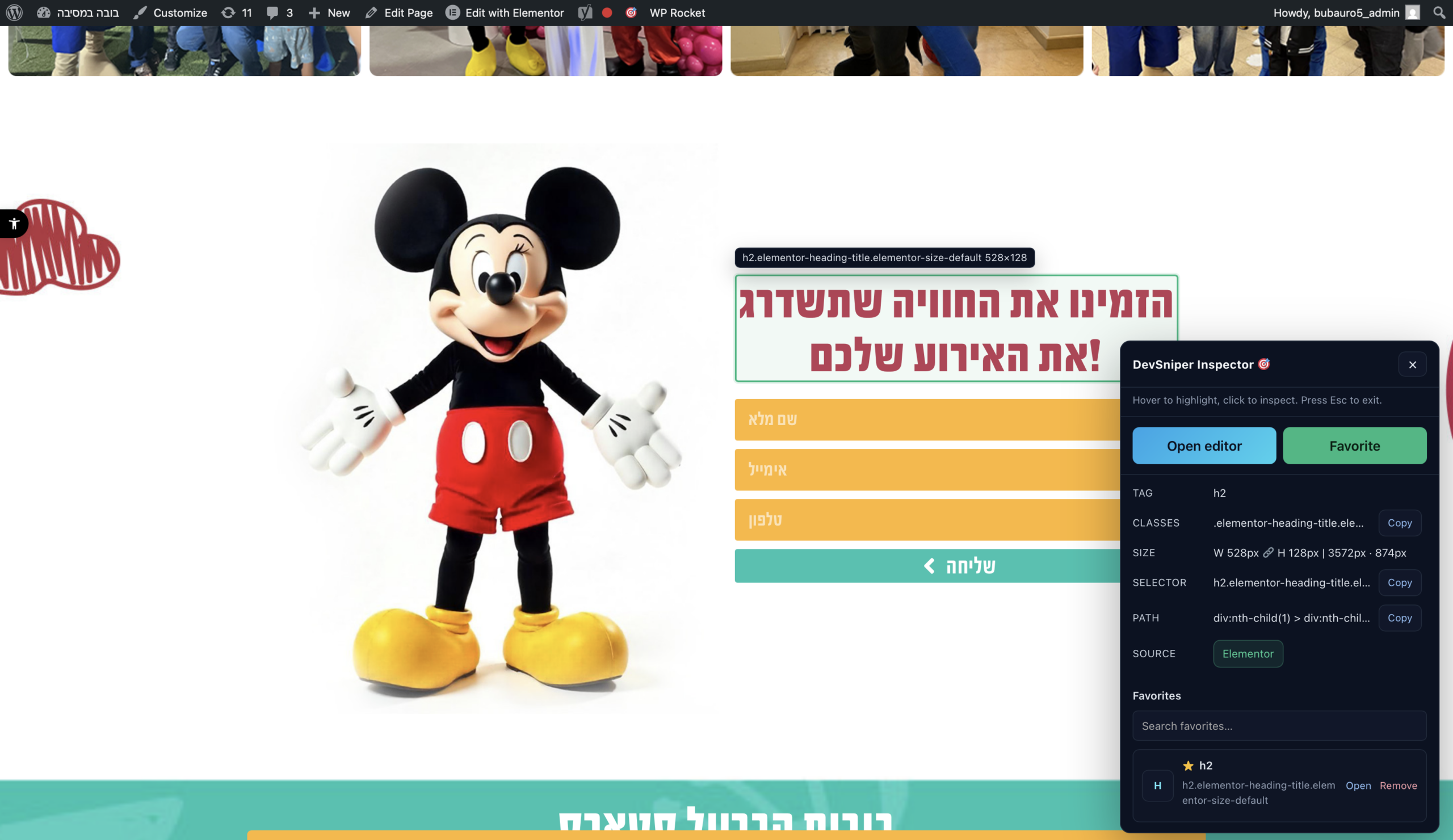
Inspector view in action
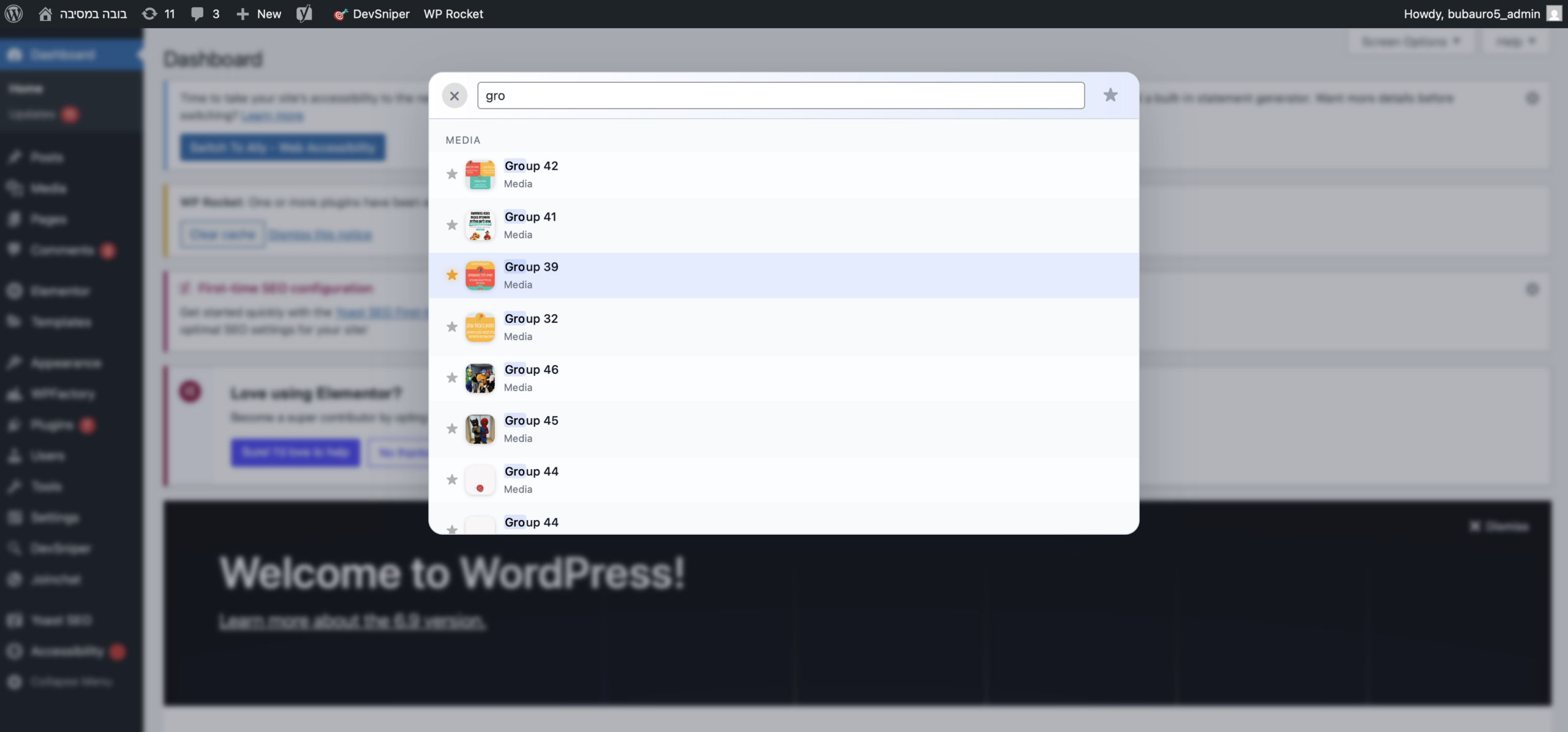
Command Palette
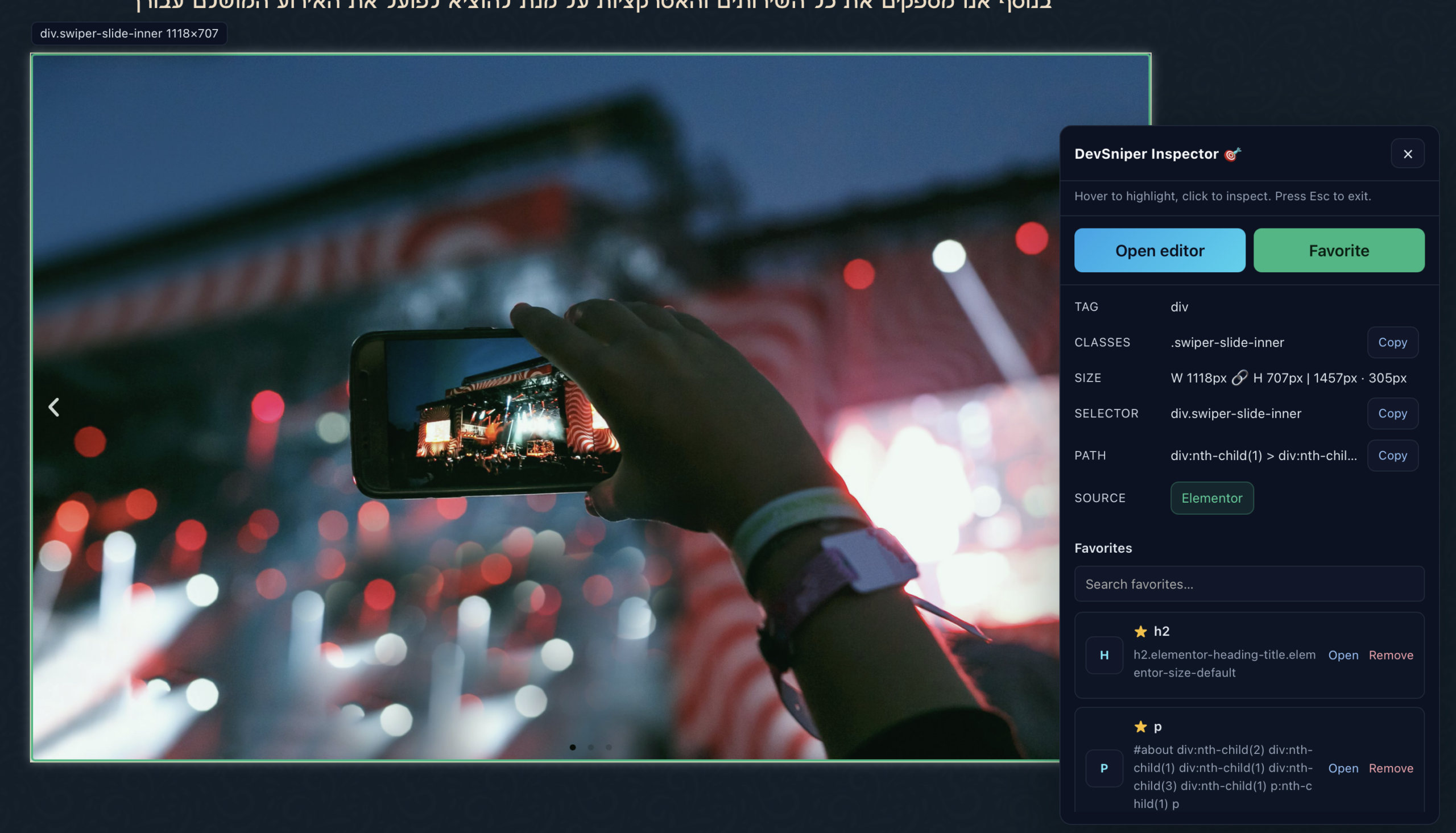
Advanced Features
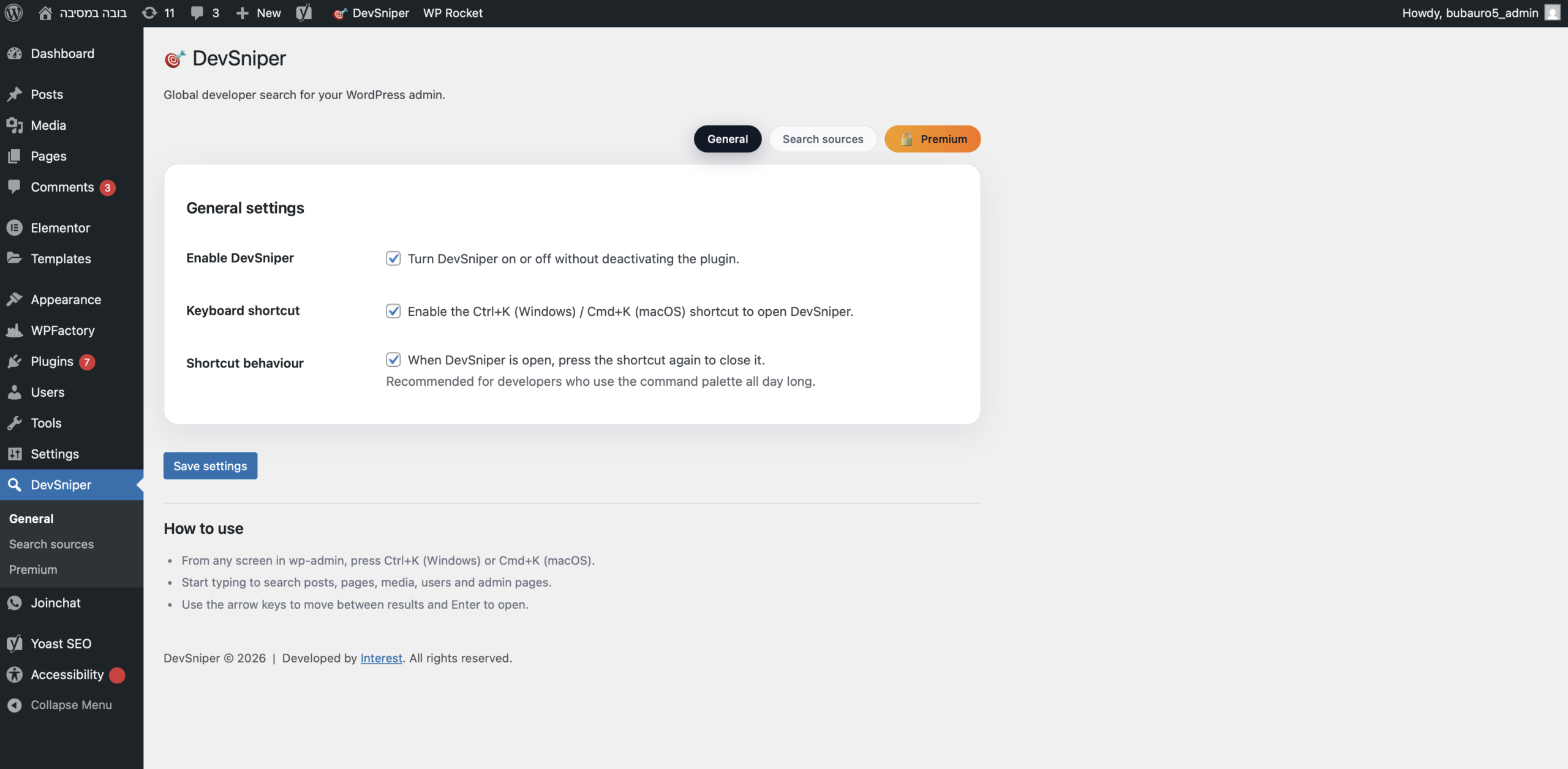
Settings
Free vs Pro
| FEATURE | FREE | PREMIUM |
|---|---|---|
| Admin command palette search | ||
| Keyboard shortcut (Ctrl/Cmd+K) | ||
| Search posts and pages | ||
| Search users | ||
| Search media library | ||
| Search admin menu pages | ||
| Per-user favorites | ||
| Basic settings toggles | ||
| No tracking or external requests | ||
| Live text and color editing | ||
| Custom themes and branding presets | ||
| DevSniper toggle in Customizer (Additional CSS) | ||
| Advanced filters for CPTs, taxonomies, and meta | ||
| Team shared favorites and presets | ||
| Role-based access and source rules | ||
| Performance boost for large sites | ||
| Search analytics and audit log | ||
| Premium support with fast response | ||
| Early access updates and new features |
Simple, annual pricing.
30-day money-back guarantee on all plans.
Solo
For freelancers.
- 1 Site License
- All Pro Features
- 1 year of updates
Team
For small studios.
- Up to 5 Sites
- All Pro Features
- Priority Support
Agency
For power users.
- Up to 50 Sites
- Standardize workflows
- Priority Support
Plugin keeps working after the license expires; updates & support require an active license.
Frequently Asked Questions
What happens after purchase?
You will immediately receive an email with your license key and a download link for the Pro version of the plugin.
Does it work after the license expires?
Yes. The plugin continues to work forever on the sites you installed it on. However, you need an active license to receive updates, new features, and technical support.
How many sites per plan?
Solo is for 1 site. Team is for up to 5 sites. Agency is for up to 50 sites. You can manage activated sites from your account area.
What is the refund policy?
We offer a 30-day money-back guarantee. If the plugin doesn't work for you or you are unhappy for any reason, email us for a full refund.
Is it compatible with my theme/builder?
DevSniper Pro runs within the WordPress admin dashboard and is compatible with virtually all themes, Elementor, Divi, Bricks, and Gutenberg.
Is it safe? Do you track data?
Yes, it is safe. We do not use invasive tracking. We collect basic operational data (license validation) only if enabled. Your site data remains yours.
How do I install it?
Download the .zip file from your email. Go to Plugins -> Add New -> Upload Plugin inside WordPress, and upload the file.
Can I use this on client sites?
Yes! The Team and Agency plans are designed specifically for this purpose.
Can I upgrade later?
Yes, you can upgrade your license at any time from your account page by paying the difference.
Do you offer support?
Yes, we provide email support. We generally respond within 24-48 hours during business days.
Do you accept credit cards?
We process payments securely via PayPal, which accepts both PayPal balances and major credit/debit cards as a guest checkout.
Does it slow down my website?
No. DevSniper is built to be lightweight and loads only when necessary.
Stop wasting time clicking around.
Join the freelancers and agencies navigating WordPress at speed.
Buy DevSniper ProQuestions? Support?
Fill out the form below and we'll get back to you directly.